De-Identify Sensitive Text Locally Before It Reaches AI.
EasyDeID detects identifiers on your Windows PC, lets you review or pseudonymize them, and keeps protected text out of cloud de-identification services. A dedicated local privacy layer for Windows.
%LocalAppData%). Organizational endpoint controls may still require approval if appropriate.
Real Desktop Software. Zero Cloud Dependency.
No accounts to register. No cloud servers to trust. EasyDeID runs directly on your Windows PC with instant visual verification, multi-model selection, and automatic Clipboard Guard.
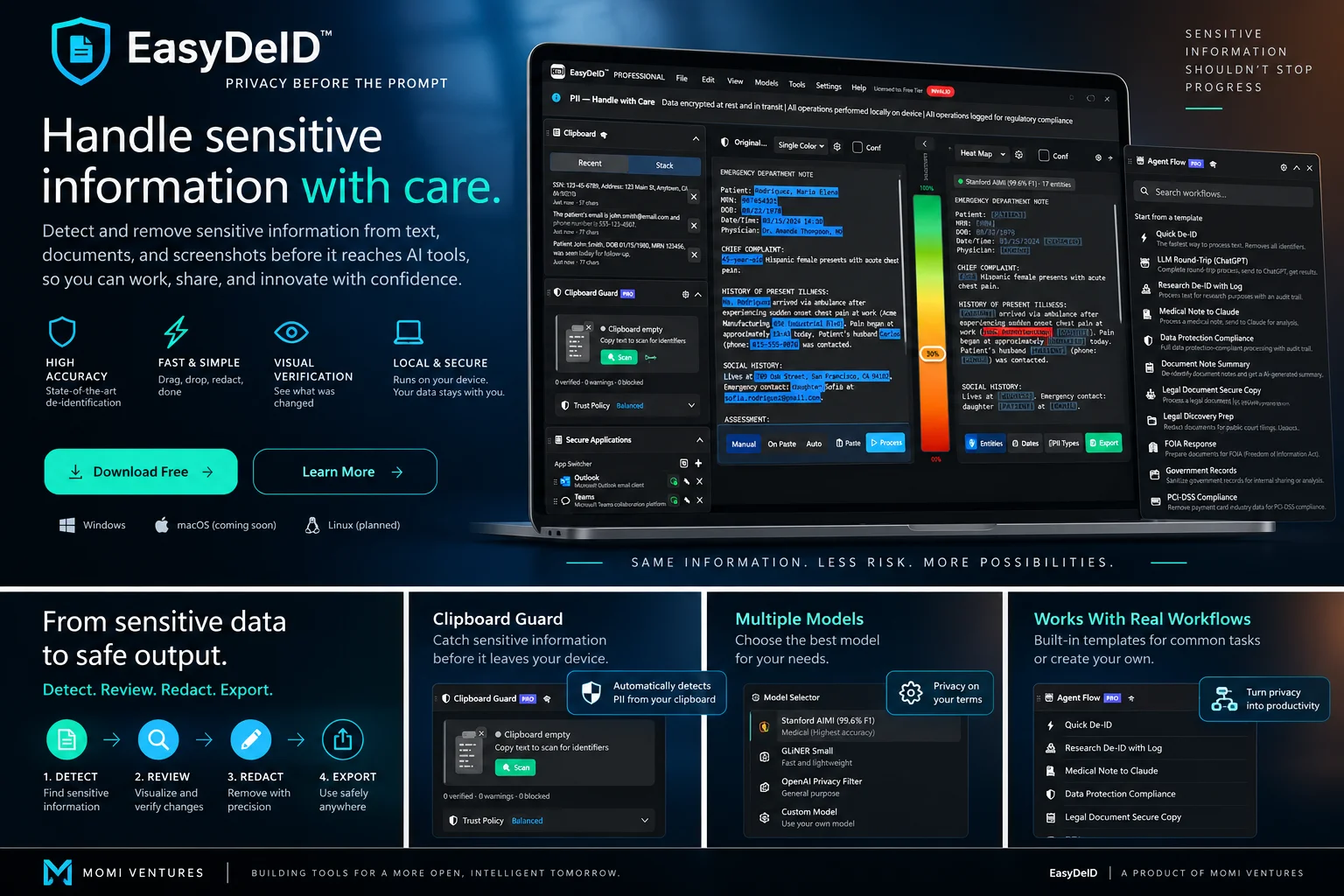
Monitors clipboard in the background to catch and block unredacted identifiers before you paste into AI web tools.
Captures highlighted text from Epic, Cerner, Word, or PDFs without manual copy-paste ceremonies.
Inspect detected entities and confidence scores before using output. You are always in control.
Runs on local DirectX 12 GPU or CPU. Your source data never leaves your workstation.
Copying Text into AI Shouldn't Feel Like a Compliance Gamble
You shouldn't have to manually inspect every sentence before asking modern AI tools for assistance. Compare the three ways professionals handle sensitive data today:
Manual Find & Replace
- ✕ 15+ minutes of tedious scanning per note
- ✕ Easy to miss family names, MRNs, and relative dates
- ✕ High clinician & legal fatigue
- ✕ Blank redaction masks destroy AI context
Cloud APIs & Portals
- ✕ Uploads raw sensitive data to third-party cloud servers
- ✕ Requires complex enterprise BAAs and security audits
- ✕ 350ms – 1,200ms latency per request
- ✕ Constant context-switching between windows
Local Workstation De-ID
- ✓ As low as 16.8 ms in our benchmark environment via local GPU/CPU inference
- ✓ 0 KB protected-text cloud egress — confidential text never leaves your workstation
- ✓ One global hotkey [Ctrl+Shift+D] directly inside your active application
- ✓ Realistic pseudonyms keep context coherent for LLMs
Zero-Context-Switch De-Identification in 3 Steps
Works across supported Windows applications—including Microsoft Word, browser-based portals, EHR web interfaces, and PDF viewers.
Select Text Anywhere
Highlight clinical notes, legal memos, or confidential client messages directly in your active window. No file export or conversion required.
Press Hotkey Ctrl+Shift+D
Reads selected text non-invasively through standard Windows accessibility and UI Automation (UIA) APIs. Unredacted private text never contaminates the OS clipboard.
Send Safer Text to AI
Local ONNX models classify identifiers, apply deterministic pseudonyms or redaction tags, and copy sanitized text ready for your AI prompt.
Explore a fictional de-identification example
Experience real-time deterministic pseudonymization and redaction. Toggle presets and modes to see how text is safely transformed before reaching AI.
Built for Speed, Privacy, and Control
Everything you need to safely use modern AI tools with confidential notes, client documents, and research data.
100% Local & Air-Gapped
All neural models execute directly on your workstation's CPU or DirectX 12 GPU. 0 KB protected-text cloud egress. Product-control requests (such as periodic license validation and update checks) never transmit protected document text.
One Global Hotkey
Press Ctrl+Shift+D across supported applications—Word, EHR portals, browsers, or PDF readers. Sanitize selected text instantly without switching tabs.
Clipboard Guard Watchdog
Real-time background monitoring warns or blocks you if you accidentally attempt to paste unredacted private identifiers into browser-based AI windows like ChatGPT or Claude.
Side-by-Side Visual Verification
Inspect detected identifiers with color-coded confidence levels. Adjust, edit, or override any tag with a single click before you paste. You are never asked to blindly trust AI.
And When You Need More Power:
Who Uses EasyDeID?
Designed for professionals who handle confidential information and want to safely leverage modern AI tools.
Healthcare Clinicians
Prompt ChatGPT or Claude for chart synthesis, diagnostic drafting, or clinical research assistance while drastically reducing the risk of exposing protected health identifiers.
Clinical Researchers
Sanitize patient cohorts for research protocols, NIH data sharing, and IRB compliance while preserving chronological timelines.
Attorneys & Legal Teams
Mitigate data leakage and protect confidential client PII before submitting litigation records or contracts to generative AI platforms.
AI Developers & Engineers
Integrate de-identification directly into your AI agent pipelines via local Model Context Protocol (MCP) server endpoints with zero cloud egress.
Built on Verifiable Medical Rigor & Precision
Privacy software requires transparent evidence. EasyDeID is benchmarked on gold-standard clinical challenge datasets and engineered for high-recall identifier detection.
Detects full names, family members, providers, and staff. Includes structural variant matching and honorific binding.
Identifies admission dates, discharge, surgery, and relative offsets. Salted proportional shifting preserves cycle spacing and chronological intervals.
Classifies hospitals, clinics, suites, street addresses, cities, and states. Adheres to HIPAA 3-digit ZIP population threshold guidelines.
Detects Medical Record Numbers, Social Security Numbers, health plan IDs, account numbers, and device serial numbers with near-zero false negatives.
Catches telephone and fax numbers, clinician email addresses, web portal links, IP addresses, and digital endpoints across unstructured clinical notes.
Local 3-stage pronoun resolution ("he", "she", "the patient") and surname variant matching resolves longitudinal references with 73% coreference resolution on clinical benchmarks.
Ready to Test EasyDeID on Your Workstation?
Install the free Community Edition in seconds. No credit card or registration required.
Free to Start. Upgrade for Continuous Automation.
The Community Edition is 100% free forever for on-demand workstation de-identification. Upgrade to Pro when you need automated continuous background monitoring (Clipboard Guard), multi-note accumulator stack, batch folder processing, and local MCP server integration.
- 100% On-Device: 0 KB protected-text cloud egress
- Global Hotkey [Ctrl+Shift+D]: Universal in-memory capture
- Privacy Lens™ Preview: Interactive entity inspection
- Full 106-Category Model: Textual identifier detection
- Deterministic Pseudonyms & Redact: Salted names & date shifting
- DirectML GPU & CPU Fallback: As low as 16.8 ms benchmark latency
- Single-item in-memory capture & review
- No account, no credit card required
- Everything in Community, plus:
- Automated Background Clipboard Guard: Real-time watchdog & auto-block before pasting into ChatGPT/Claude
- StackDeID: Unlimited multi-item clipboard accumulation (Ctrl+Shift+C / Ctrl+Shift+V)
- Model Context Protocol (MCP): Local stdio & HTTP server for AI agents
- Unlimited Custom Prompt Templates (Free limited to 2)
- Destination Awareness & Risk Badges: Process-specific clipboard audit policies
- Full Scan Reports: Unlimited entity scan results & export
Answers to Common Inquiries
Clear, straightforward answers about data residency, system requirements, and compliance.
Start De-Identifying Sensitive Data on Your PC Today
Deploy EasyDeID to your medical or professional workstation in seconds. Fast, private, DirectX 12 accelerated, and free to use.